
Voice Recorder App For Interviews & Evidence
The Rev app keeps recording through calls, alarms, and dead zones, then puts every file right where you need it. Record the interview and get it transcribed, ask it questions, and share it securely, all from your phone.


Built So What You Record Stays Recorded
Record & Transcribe Audio Anywhere
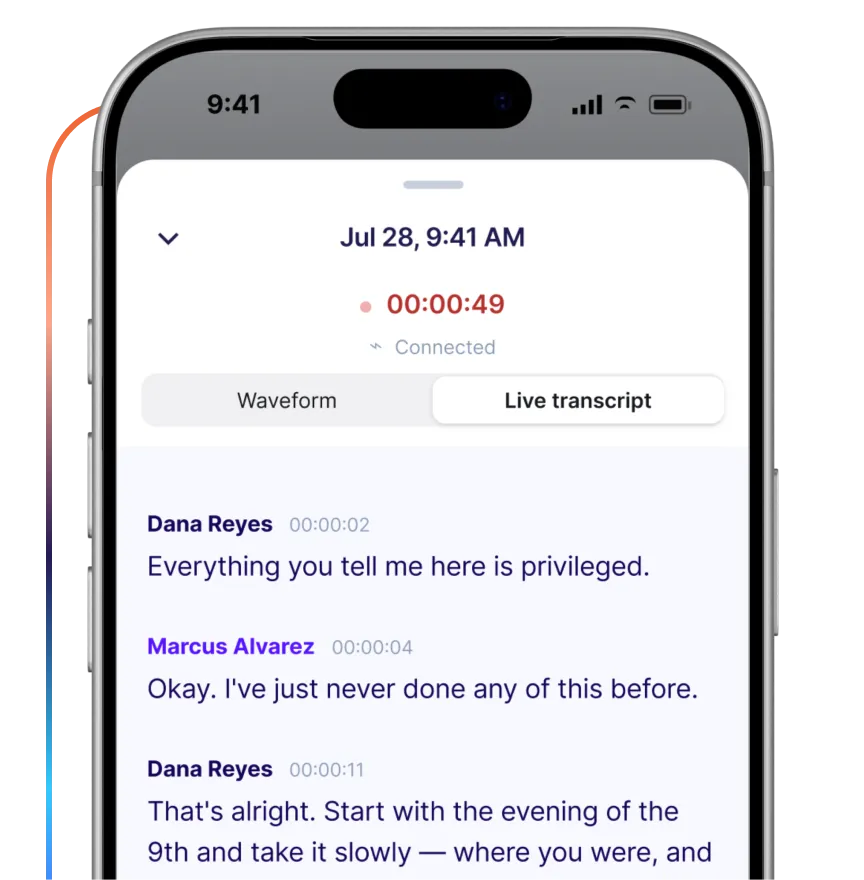
Whether you need to record a voice memo, witness interview, or impact statement, Rev's industry-leading audio capture delivers a clear, live transcript in the toughest environments. The always-on lock screen means you're never caught without a recording.
Interruptions Happen. The Recording Keeps Going
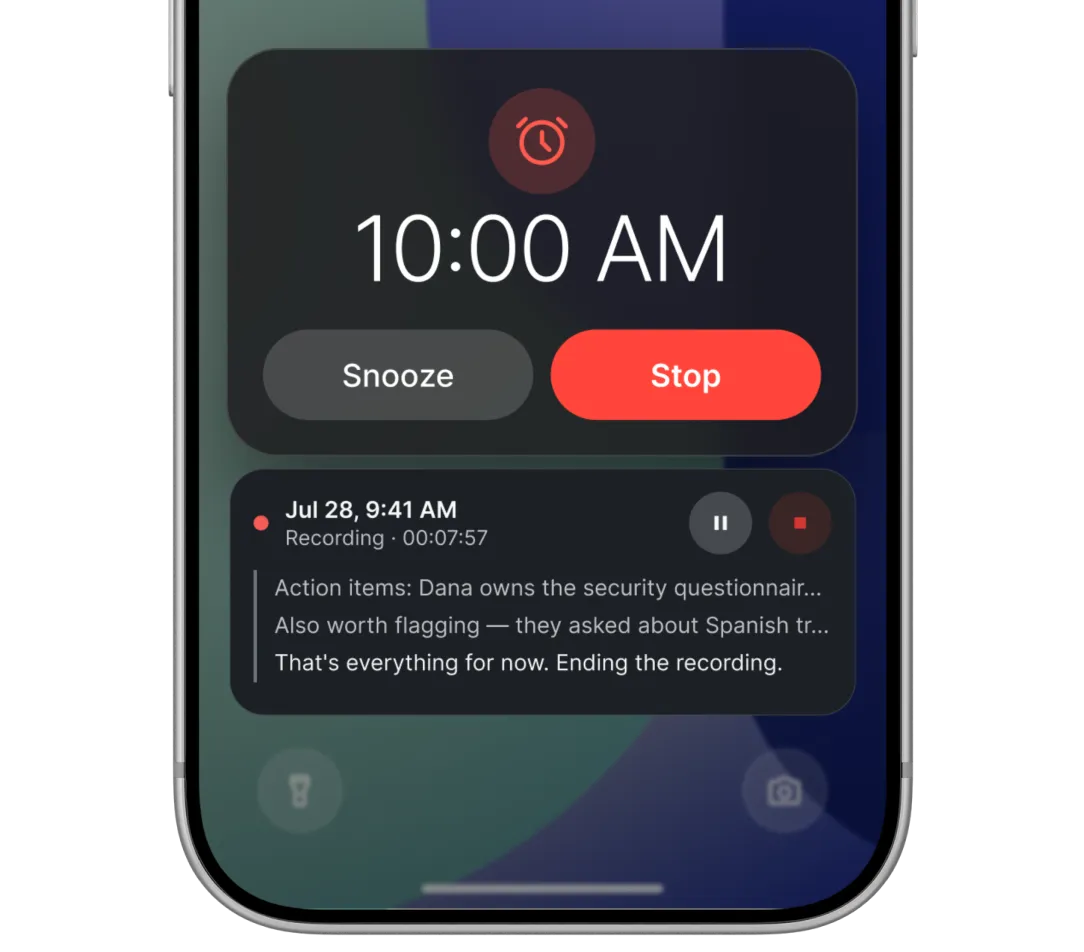
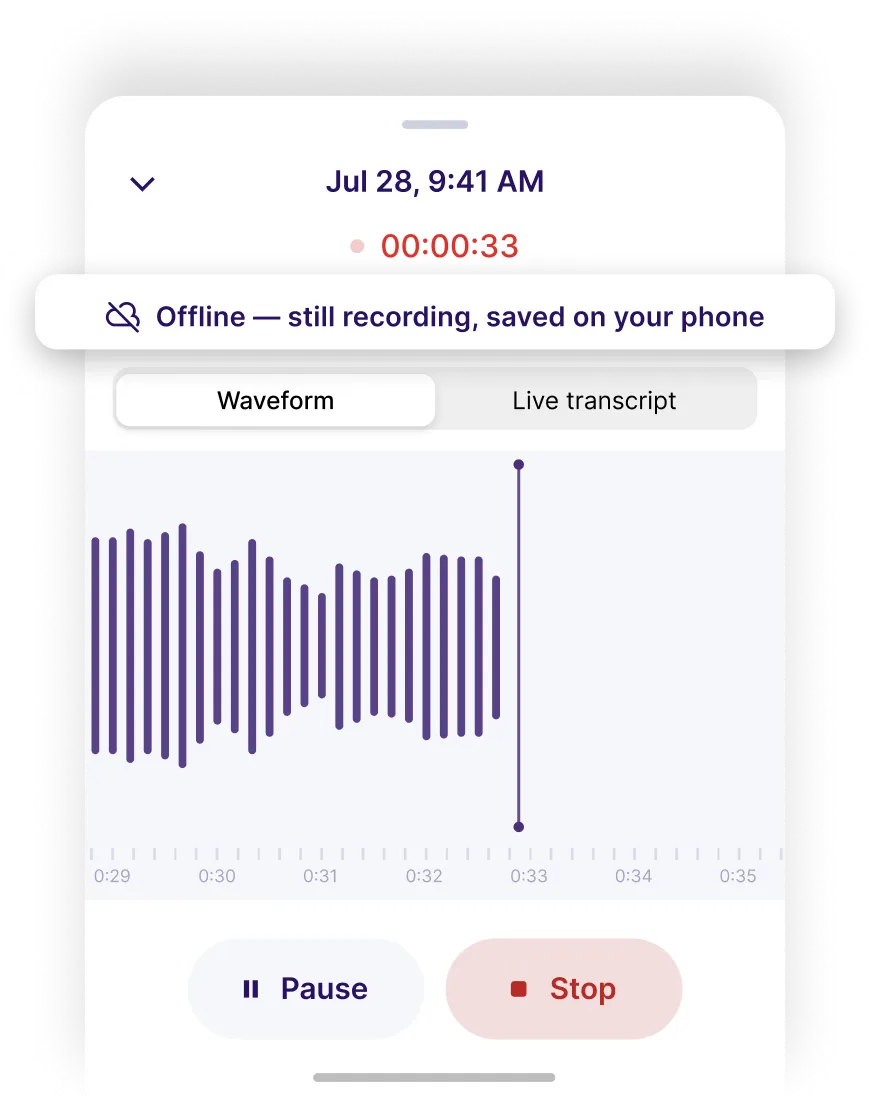
An incoming phone call, an alarm, a notification. None of them will stop a recording. You can check that it's still running right from your lock screen.
Record With No Signal
Holding rooms, basements, courthouses, rural roads. Rev records and saves to your phone even when reception drops, then uploads automatically once you're back online.
Secure Sensitive Recordings And Transcripts
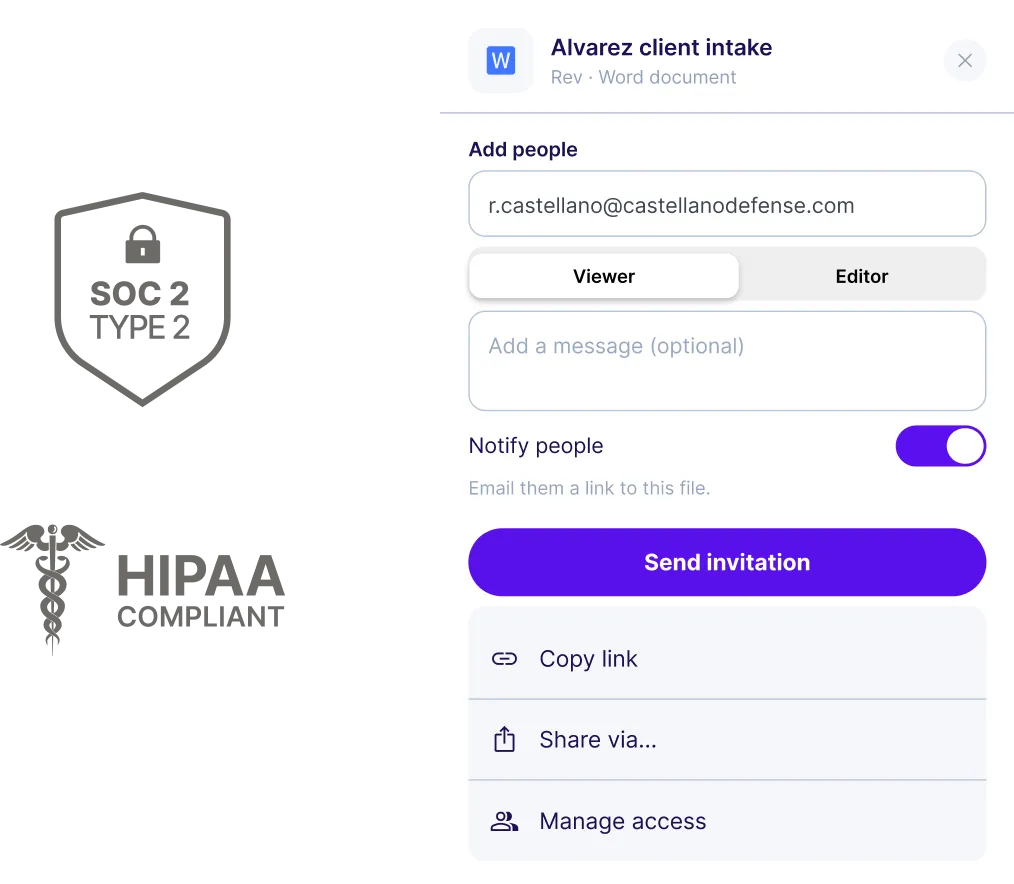
Manage access from your phone, wherever you are. Share a transcript with the whole team, or lock it down to just the people who need it. Clear permission icons make it obvious what's private and what's ready for collaboration. Rev is SOC 2 Type II certified, supports HIPAA-compliant workflows (Unlimited accounts only), encrypts customer content, and doesn’t use customer files to train third-party AI models.
Analyze Any Recording, Your Way
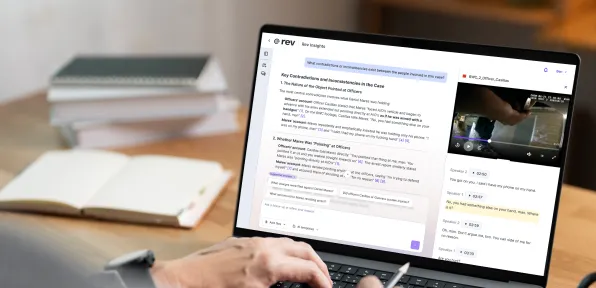
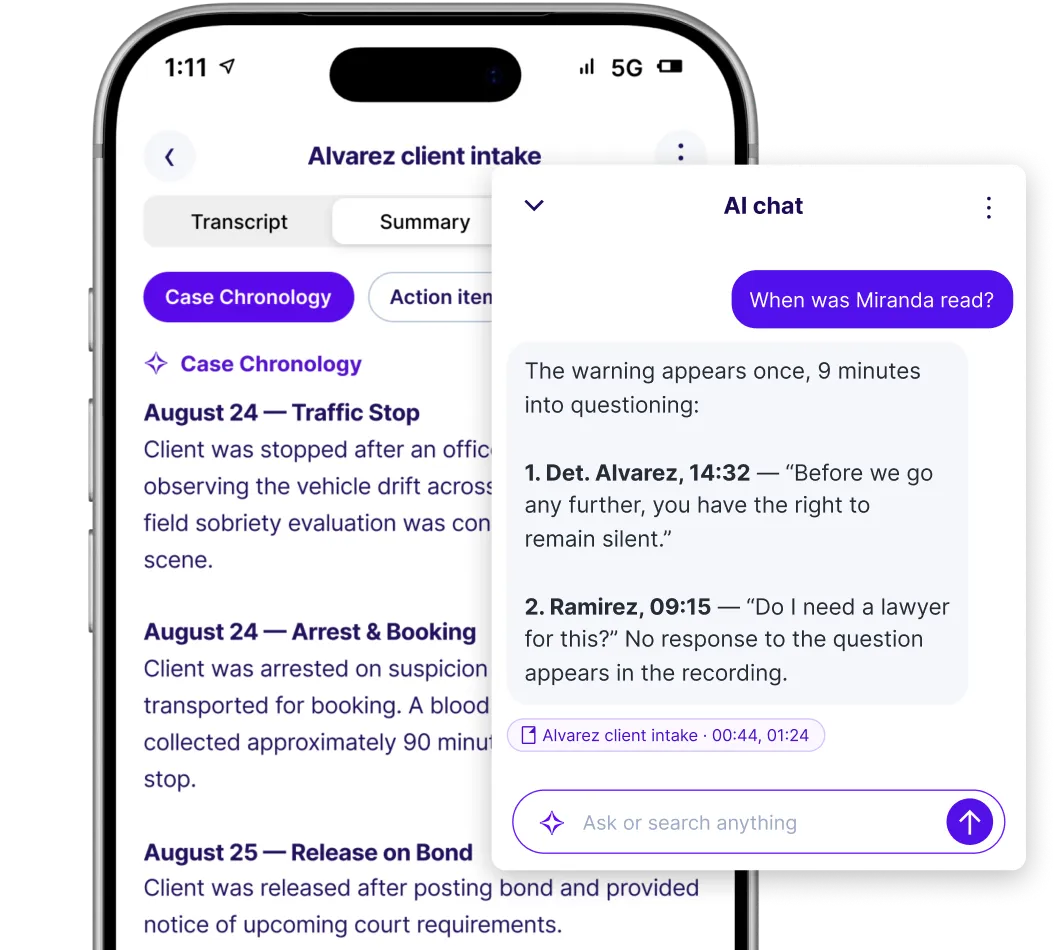
Ask a question about what's in the recording, or pick a template built for the task — a witness interview synopsis, an incident timeline, a case note — and let Rev do the rest, right from your phone.
Watch The Recording, Not Just The Transcript
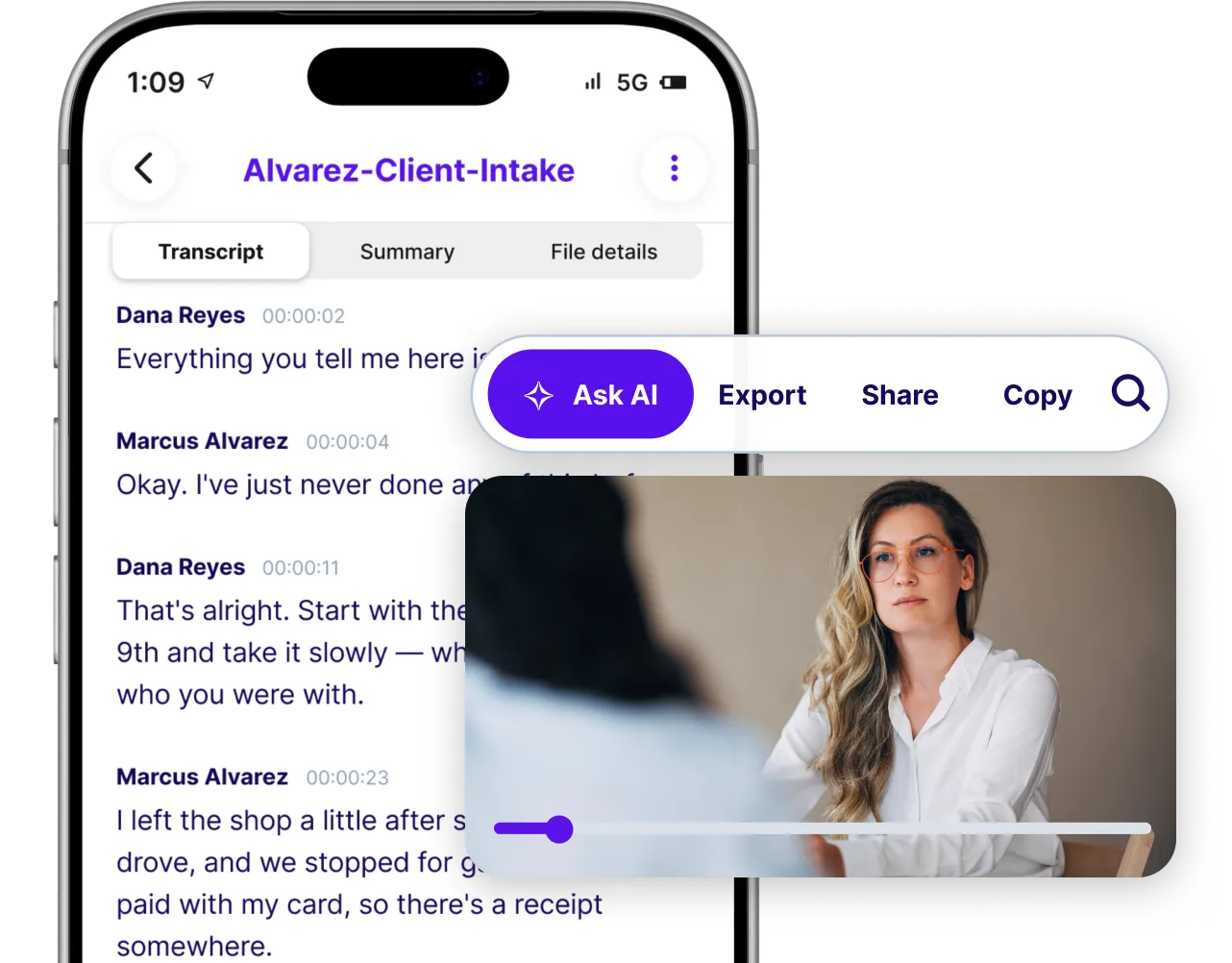
Pull up the original footage right in the app alongside the transcript whenever you need it, so you can see exactly what happened, not just read about it.
Frequently Asked Questions About The Rev Mobile App
Is This A New App?
Yes. The new Rev app replaces our previous voice recorder app. If you're using the old app, download the new one from the App Store or Google Play and sign in with your usual Rev login.
Will My Files Transfer To The New App?
Yes. Everything uploaded to your Rev account, including recordings, transcripts, and files, appears in the new app automatically.
What Happens To The Old App?
The old app will retire on October 31. After that, it will be removed from the app store and will no longer receive updates. We recommend switching to the new app now.
Can I Record Without An Internet Connection?
Yes. Rev records and saves to your phone with no signal, then uploads automatically once you're back online.
What Happens If I Get A Call While Recording?
Your recording keeps going. Calls, alarms, and notifications won't stop it. You can choose to dismiss alerts or keep going.
How Do I Upgrade My Subscription?
Subscription upgrades are done from a web browser, not the app. Go to rev.com, sign in, open Account Settings, select Manage Subscription, then choose Modify Plan. On shared accounts, only the Admin and Billing Manager can manage billing.
How Do I Use My Rev Subscription In The App?
Sign in with your Rev login and your subscription will be active in the app.
Who Can I Share Files With?
You choose who has access and what they can do. Invite specific people as viewers (can view) or editors (can make changes), or copy a link.
How Do I Record?
Open the app and tap the purple button in the center to begin recording. Rev starts saving the recording to your phone right away, with or without signal, and keeps going through calls, alarms, and notifications. You can check that it's still running from your lock screen. When you're done, tap Stop. Your recording uploads to your Rev account automatically (once your signal returns), so it's in the app and on rev.com.
How Do I Order a Transcript From the App?
You don't need to. With the Auto Transcribe with AI setting turned on, every recording and upload is transcribed automatically once it reaches your Rev account. When you need a 99%+ accurate human transcript, sign in at rev.com, open the file, and order human transcription there. Ordering human transcripts directly in the app is coming soon.
From The Field To Your Desk
Rev fits into the way you already work. Record on your phone, analyze across your files, draft from templates built for your workflow, and share securely.